
eufyMake Review Guide: Everything You Should Know Before Buying
Get the complete eufyMake review guide before you buy. This in-depth post covers features, pricing, print quality, pros, cons, and who should buy eufyMake for custom printing and small business use.
Table of Contents
- 1 What Is eufyMake and Why Is It Getting So Much Attention?
- 2 What Exactly Is the eufyMake E1?
- 3 Why Is eufyMake Getting So Much Attention?
- 4 eufyMake Print Quality and Real-World Performance
- 5 Setup and Ease of Use
- 6 Key Features of the eufyMake E1
- 7 eufyMake E1 Specs at a Glance
- 8 Real-World Performance and Print Quality
- 9 eufyMake Pricing and Ongoing Costs
- 10 Pros and Cons of Buying eufyMake
- 11 Who Should Buy eufyMake?
- 12 Who Should Skip It?
- 13 eufyMake vs Traditional UV Printers
- 14 Conclusion
- 15 Frequently Asked Questions
What Is eufyMake and Why Is It Getting So Much Attention?
If you have been circling the world of custom printing lately, chances are you have bumped into eufyMake more than once. It is one of those brands that suddenly seems to be everywhere—on creator YouTube channels, in Etsy seller communities, and across small business forums where people are constantly hunting for the next profitable machine. That kind of attention usually comes with hype, and hype often deserves skepticism. Still, in this case, the buzz is not random. eufyMake has managed to take something that used to feel industrial, intimidating, and expensive—UV printing—and package it into something that feels surprisingly accessible for creators and small businesses.
The biggest reason for this attention is simple: eufyMake is trying to shrink a commercial print shop into a desktop tool. That is a bold promise. Traditional UV printers are often large, expensive, and designed for production environments, not someone’s home studio or side-business workspace. eufyMake steps into that gap and says, “What if a designer, Etsy seller, or small shop owner could do this without buying a machine the size of a refrigerator?” That pitch has landed well because it solves a real problem. Most creators want more control over product customization, but they do not want industrial-level complexity, noise, or cost. eufyMake is getting attention because it makes that leap feel possible, and for many buyers, that is a very compelling offer.
What Exactly Is the eufyMake E1?
The eufyMake E1 is a compact desktop UV printer built for creators, small businesses, and customization-focused side hustles. At its core, it is designed to print directly onto physical objects like acrylic, wood, leather, glass, ceramic, plastic, and metal. Think of it like an inkjet printer that grew up, learned a trade, and started printing directly onto products instead of paper. That is the real appeal here. Instead of printing labels and sticking them on later, the E1 prints directly onto the final object, which creates a cleaner, more premium, and often more profitable result.
What makes this machine different is that it is not just printing flat color. It can also create raised texture effects, which means you can add tactile, dimensional details to designs. That is where the “3D texture” angle comes in, and it is one of the E1’s most marketable features. Imagine printing a business logo on a premium plaque with embossed texture, or adding raised details to custom coasters, phone cases, or branded packaging. It turns standard product customization into something that feels much more premium. The E1 is essentially aimed at people who want to create custom physical products with better margins, better presentation, and more control over the production process.
Why Is eufyMake Getting So Much Attention?
The biggest reason eufyMake is getting attention is simple: it takes a tool that used to belong almost exclusively in commercial print shops and puts it on a desk. Traditional UV printers are expensive, bulky, and often intimidating for beginners. Most are designed for production shops, not home studios or side hustles. The E1 flips that model by making UV printing smaller, easier to approach, and far more affordable than most traditional systems.
That matters because the market for custom products has changed. More people are building side hustles, selling personalized goods online, and looking for ways to bring production in-house. Instead of outsourcing every custom order, creators now want more control over quality, turnaround time, and profit margins. The E1 fits neatly into that trend. It offers creators the kind of flexibility that used to require outsourcing or industrial hardware, and that is exactly why so many people are paying attention.
eufyMake Print Quality and Real-World Performance
This is where the eufyMake E1 becomes much easier to judge, because good marketing means nothing if the final print looks cheap. Thankfully, most hands-on reviews agree on one thing: the print quality is genuinely impressive for a machine in this price range. Reviewers from Tom’s Hardware, Hackster, and Popular Mechanics all praised the E1 for strong print detail, sharp output, durable results, and impressive texture effects.
Color output is sharp, detail is clean, and the raised texture effects are what really make prints stand out. The results can look polished enough for premium products, especially on well-prepped materials. That said, this is still UV printing, and UV printing always depends on prep. Surface quality matters. Material coating matters. Adhesion matters. The printer can produce strong results, but only if the workflow is handled properly.
Setup and Ease of Use
The eufyMake E1 is much more approachable than traditional UV printers, and that is one of its biggest advantages. It was clearly designed for creators, not only print technicians. Setup is simpler, the workflow is easier to understand, and the software is far less intimidating than what most commercial UV systems offer.
That does not mean it is beginner-proof. There is still a learning curve. You will need to understand materials, print settings, alignment, and maintenance. But compared to most UV printers, the E1 feels far less overwhelming, and that is a major reason it has become so appealing to first-time buyers.
Key Features of the eufyMake E1
3D Texture Printing
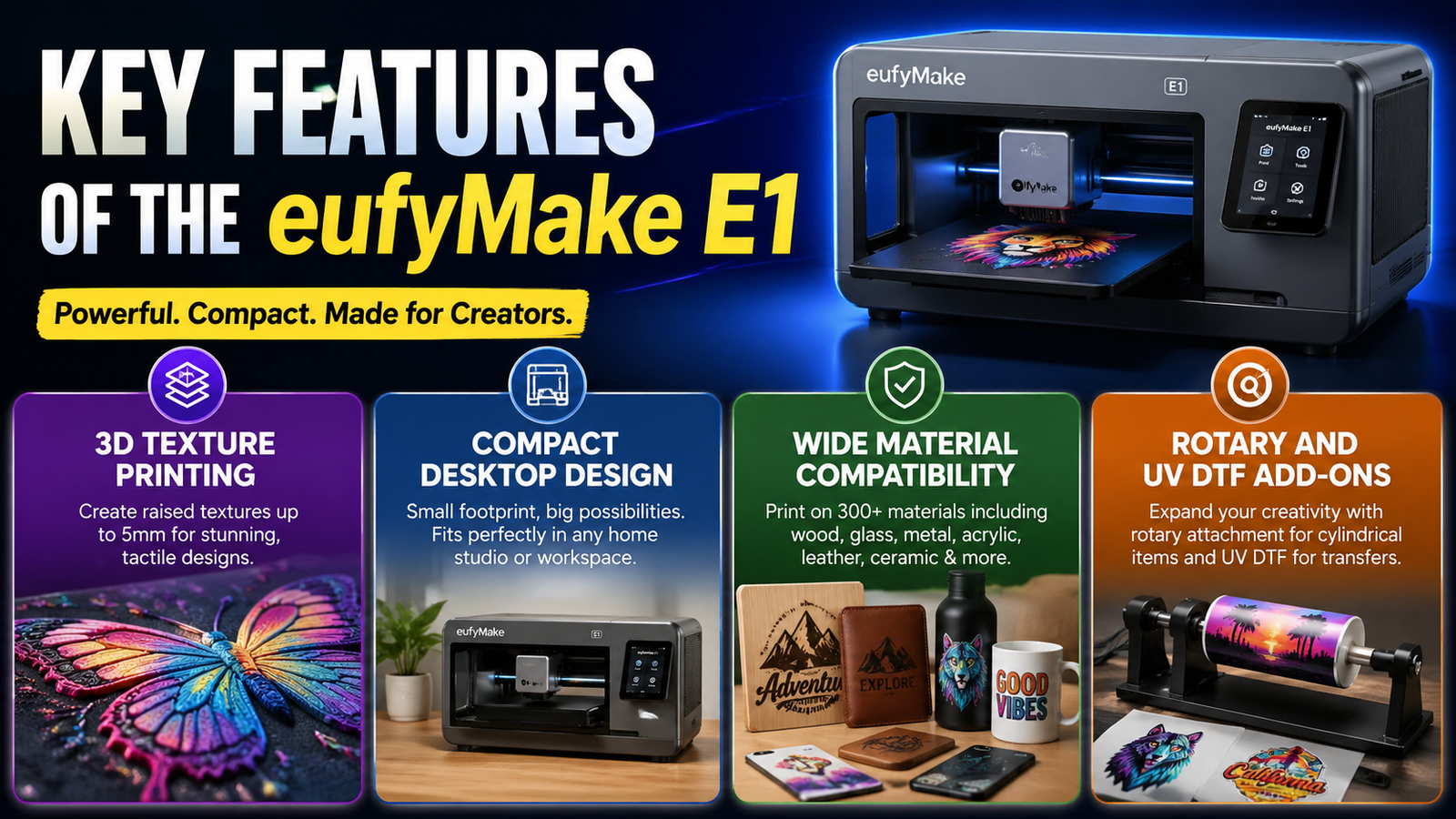
The most talked-about feature of the eufyMake E1 is its 3D texture printing capability. This is what makes the printer feel different from a standard flat UV printer. Instead of only printing color, it can build raised layers into a design to create depth, texture, and embossed effects. That means a printed logo can feel raised under your fingertips, a design can mimic the look of leather or wood grain, and custom artwork can have a more dimensional finish.
Compact Desktop Design
One of the strongest selling points of eufyMake is that the E1 is built for real workspaces, not factory floors. Most commercial UV printers are large, noisy, and take up serious space. The E1 is compact enough to fit in a home studio, workshop, or office without turning the room into an industrial production zone.
Wide Material Compatibility
The eufyMake E1 supports more than 300 materials, including acrylic, wood, glass, ceramic, leather, metal, stone, plastic, and coated fabric. That kind of flexibility is one of the biggest reasons the machine is appealing. It means you are not locked into one product type. You can experiment with multiple product categories, test different niches, and adapt your offerings without needing different machines for every material.
Rotary and UV DTF Add-Ons
The E1 is not limited to flat surfaces. With the optional rotary attachment, it can print directly onto cylindrical items like mugs, tumblers, and bottles. That expands the product range significantly, especially for custom drinkware sellers.
There is also a UV DTF laminating add-on, which lets users create transfer-style UV decals and stickers. This gives the machine more flexibility for users who want both direct-to-object printing and transfer-based workflows.
eufyMake E1 Specs at a Glance
Feature | eufyMake E1 |
Printer Type | Desktop UV Printer |
Printing Style | Direct-to-Object (DTO) |
Specialty | 3D Texture Printing |
Supported Materials | Acrylic, wood, glass, leather, metal, plastic, ceramic |
Add-Ons | Rotary module, laminator |
Best For | Creators, Etsy sellers, small businesses |
Starting Price | Around $2,299 |
Premium Bundle | Up to $3,419 |
The spec sheet tells a pretty clear story. This is not positioned as an industrial workhorse. It is positioned as a creator-friendly production tool. That distinction matters because it shapes expectations. If you are buying this to run a high-volume industrial print farm, you are shopping in the wrong aisle. If you are buying it to launch premium custom products, test product ideas, or bring print production in-house, the specs make much more sense. Pricing is one of the strongest hooks too. At roughly $2,299 for the base bundle, it lands dramatically below many traditional UV systems, which often start far higher.
Real-World Performance and Print Quality
This is where most buying decisions are made, because specs are nice, but output is what pays the bills. The good news is that print quality is one of the E1’s strongest traits. Reviews consistently point to sharp detail, strong color output, and surprisingly premium texture effects for a machine in this price range. That matters because a UV printer can have great features on paper and still fail if the finished product looks cheap. The E1 generally avoids that problem. It produces vibrant prints with solid resolution, and when the material is prepped properly, the results can look polished enough to sell at premium margins.
That said, this is not magic in a box. Material prep still matters. Surface quality, coating, and adhesion all affect durability. A great print on the wrong surface can still fail in the real world. Some materials may need sanding, coating, or better prep to get consistent results. That is not unique to eufyMake—it is just part of UV printing. Speed is decent for a desktop system, though this is not built for industrial throughput. It is better thought of as a quality-first machine rather than a speed-first machine. If your business model depends on huge print volumes every day, this may feel limiting. If your business depends on premium customization and higher margins, it makes much more sense.
italki Review: What Marketers Can Learn from EdTech Growth
Top Benefits of Using Bluetti US for Backup Power and Camping
Why Invoice Simple Is a Must-Have Tool for Fast and Professional Invoicing
BigRock.in Review: Is It the Best Domain and Hosting Provider in India?
How AppSumo Helps Businesses Scale with Affordable Marketing Tools
eufyMake Pricing and Ongoing Costs
The sticker price is attractive, and that is exactly how eufyMake pulls people in. At around $2,299 for the base model, the E1 feels dramatically more accessible than many traditional UV printers, some of which start around $8,500 and climb fast from there. That lower entry point is a major part of the appeal. It makes UV printing feel reachable for small businesses and independent creators who would never consider spending five figures on a machine.
The catch, as always, is that the real cost does not stop at checkout. Ink is expensive, and that is where buyers need to stay realistic. A full CMYKWG ink set can run around $300, with white ink and specialty texture-focused usage pushing costs higher. Accessories also add up. Rotary modules, laminators, material kits, and ongoing maintenance can expand the real investment quickly. This is not unusual in printing—it is just important to understand before buying. The machine may be affordable to enter, but profitability depends on pricing your products well enough to absorb consumables and still keep margins healthy.
Pros and Cons of Buying eufyMake
Pros
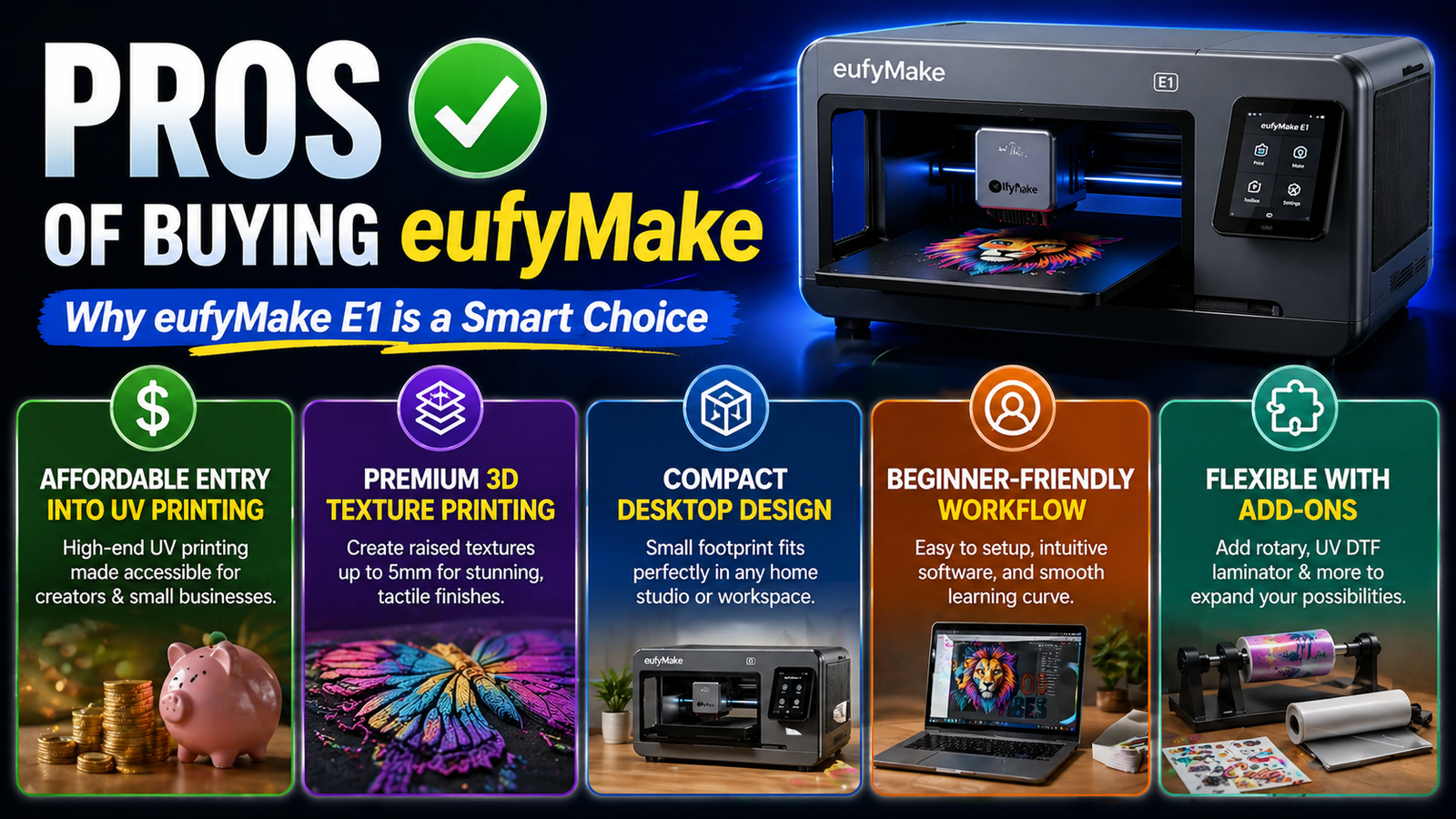
- Affordable entry into UV printing
- Premium 3D texture printing
- Compact desktop design
- Beginner-friendly workflow
- Flexible with add-ons
Cons
- Ink costs can add up fast
- Not ideal for industrial-scale output
- Material prep still matters
- Accessories increase total cost
- Limited third-party ink ecosystem
The pros are easy to understand. eufyMake makes UV printing more accessible, easier to approach, and more attractive for small business use. It lowers the cost barrier, reduces the intimidation factor, and gives creators tools to produce genuinely premium-looking custom products. That combination is rare, and it is why the machine has gained so much traction.
The cons are mostly practical, not fatal. Ink is expensive. Throughput is limited. Accessories can turn a “budget-friendly” purchase into a much bigger investment than expected. None of those are deal-breakers, but they are exactly the kind of trade-offs buyers should understand before clicking checkout.
Who Should Buy eufyMake?
The E1 makes the most sense for creators who sell products, not just ideas. If you run an Etsy store, a small customization business, a local print shop, or a brand selling personalized goods, this machine fits naturally into that workflow. It is especially strong for businesses that win on customization, presentation, and margin rather than pure scale. If your customers are paying for premium personalization, texture, branding, and finish, the E1 can make a lot of sense.
It is also a strong fit for designers and makers who want more control over production. Outsourcing custom printing works, but it also eats into profit and slows down iteration. Bringing that capability in-house can change how quickly you test products, adjust designs, and launch new offers. That kind of control is often where the real value lives.
Who Should Skip It?
If your business is built on volume-first production, the E1 is probably not the right tool. Large commercial shops that need high throughput and constant batch production will likely outgrow it quickly. This machine is designed for flexibility and quality, not industrial-scale speed.
It is also not ideal for buyers expecting “plug in and print profit by tomorrow.” UV printing has a learning curve. Product success still depends on design quality, material sourcing, pricing strategy, and market demand. The printer is a tool, not a shortcut.
eufyMake vs Traditional UV Printers
Traditional UV printers are like commercial ovens in a restaurant kitchen—powerful, expensive, and built for volume. The E1 is more like a high-end countertop oven for a boutique bakery. It does not replace the industrial version, but it makes the category accessible to a completely different kind of user.
That is the real story here. eufyMake is not trying to beat industrial UV printers at industrial production. It is trying to make UV printing practical for creators, small businesses, and premium custom product sellers. In that lane, it performs very well.
Conclusion
The eufyMake E1 works best when you understand what it is really built for. It is not a factory machine pretending to be a desktop gadget. It is a creator-focused UV printer built for customization, premium product design, and flexible small-batch production. That makes it a strong fit for modern small businesses that care more about margins and product differentiation than raw production speed.
Buy it for flexibility, product quality, and control. Skip it if your business depends on industrial-scale throughput. For the right buyer, eufyMake is not just a printer. It is a product-making tool with real business potential.
Frequently Asked Questions
Q. Is eufyMake good for beginners?
Yes, the eufyMake E1 is one of the more beginner-friendly UV printers available right now. It still has a learning curve, but it is much easier to approach than most traditional UV systems.
Q. What can you print with eufyMake?
You can print on acrylic, wood, leather, plastic, ceramic, metal, glass, and more. With add-ons, you can also print on cylindrical objects like tumblers and mugs.
Q. Is the eufyMake E1 worth the price?
For creators and small businesses, yes. The entry price is far lower than many traditional UV printers, though ongoing ink and accessory costs should be part of the decision.
Q. How much does eufyMake ink cost?
A full ink set can cost around $300, and specialty-heavy printing can push operating costs higher depending on usage.
Q. Is eufyMake good for small businesses?
Yes, especially for businesses selling custom, premium, or personalized products where presentation and margin matter more than high-volume production.
Recent Post

Key Factors to Know Before Exploring Bellway Products
Exploring Modern Beauty Tools and the Growing Appeal of Luxie
How Innovative Consumer Products Are Changing With Dip Devices
What Makes Creative Haircare Stand Out With IGK Hair?

A Beginner-Friendly Guide to Understanding R+R Medicinals CBD

A Complete Guide to Choosing the Right Products From R+Co
A Complete Guide to Building a Simple Routine With Bubble Skincare

The Essential Guide to Understanding and Building a Legacy

Key Benefits of Choosing Water Filtration Products From Waterdrop (US)
Releted Post